Product Management
Create, organize, and manage your product catalog
Product Management Overview
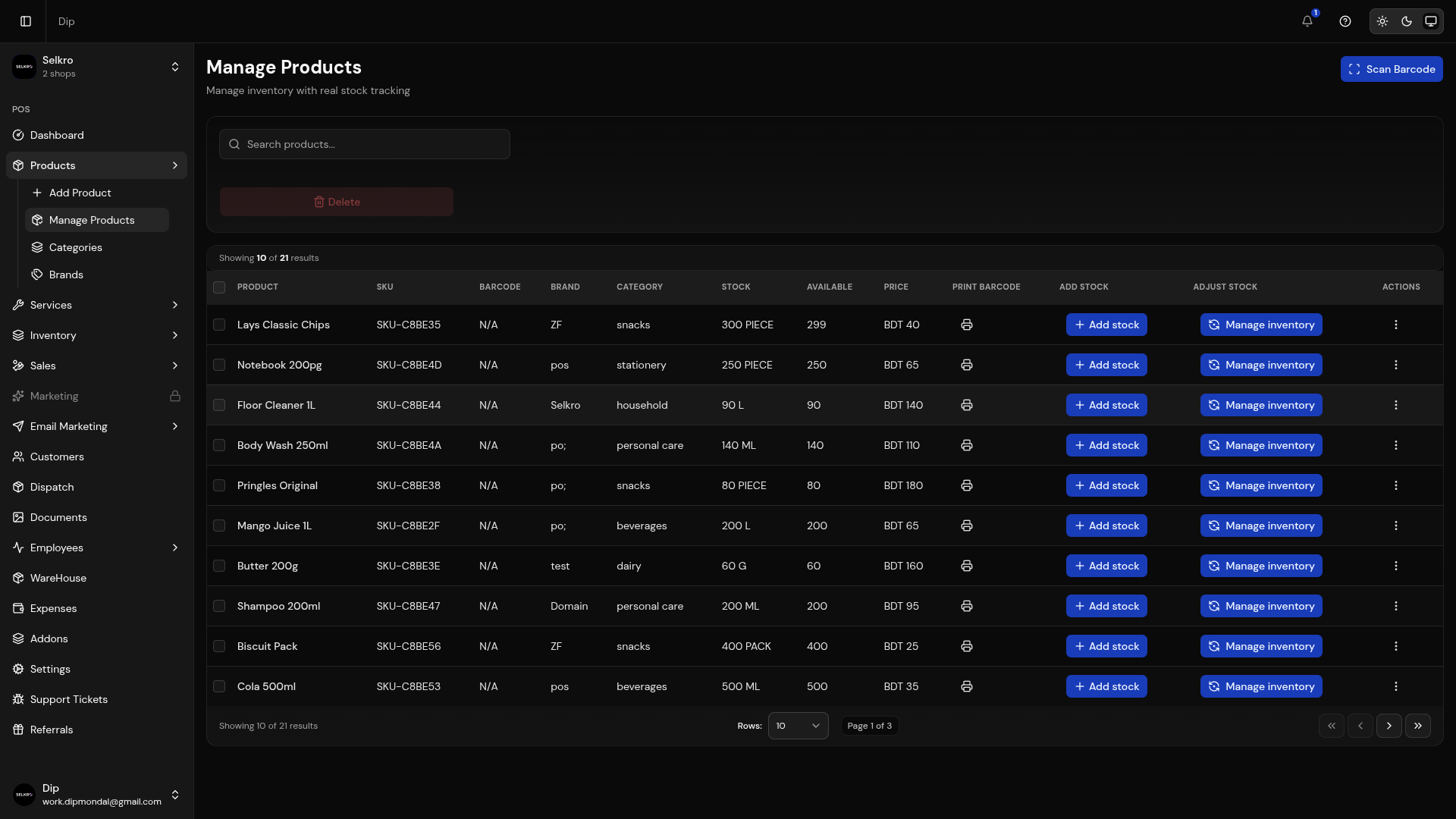
Products management dashboard with search, filter, and bulk actions
Adding a New Product
Description
Basic Information
Enter the name, slug, SKU, barcode, category, brand and warehouse. Pick the visibility (POS, storefront, or both) and toggle the product active.
Product Images
Upload up to 10 high-quality images (JPEG, PNG, WebP, HEIC). The first image becomes the primary display on your storefront.
Pricing & Stock
Set the base selling price and cost price, measurement unit, initial quantity, batch number and expiry date. Enable the Has Variant toggle to manage per-variant pricing and stock instead.
Variants & Sell Sizes
In variant mode, add variant names with their own amount, prices and stock. Each variant can carry sell sizes (e.g., 250ml, 500ml) with prices and a default size.
Product Options
Add attributes like color, size, flavor, material or custom options. Values are entered as tags and appear on the product page.
Stock Alert, Tags & Specs
Set the stock alert level, add product tags, and define key-value specifications to show more detail about the product.
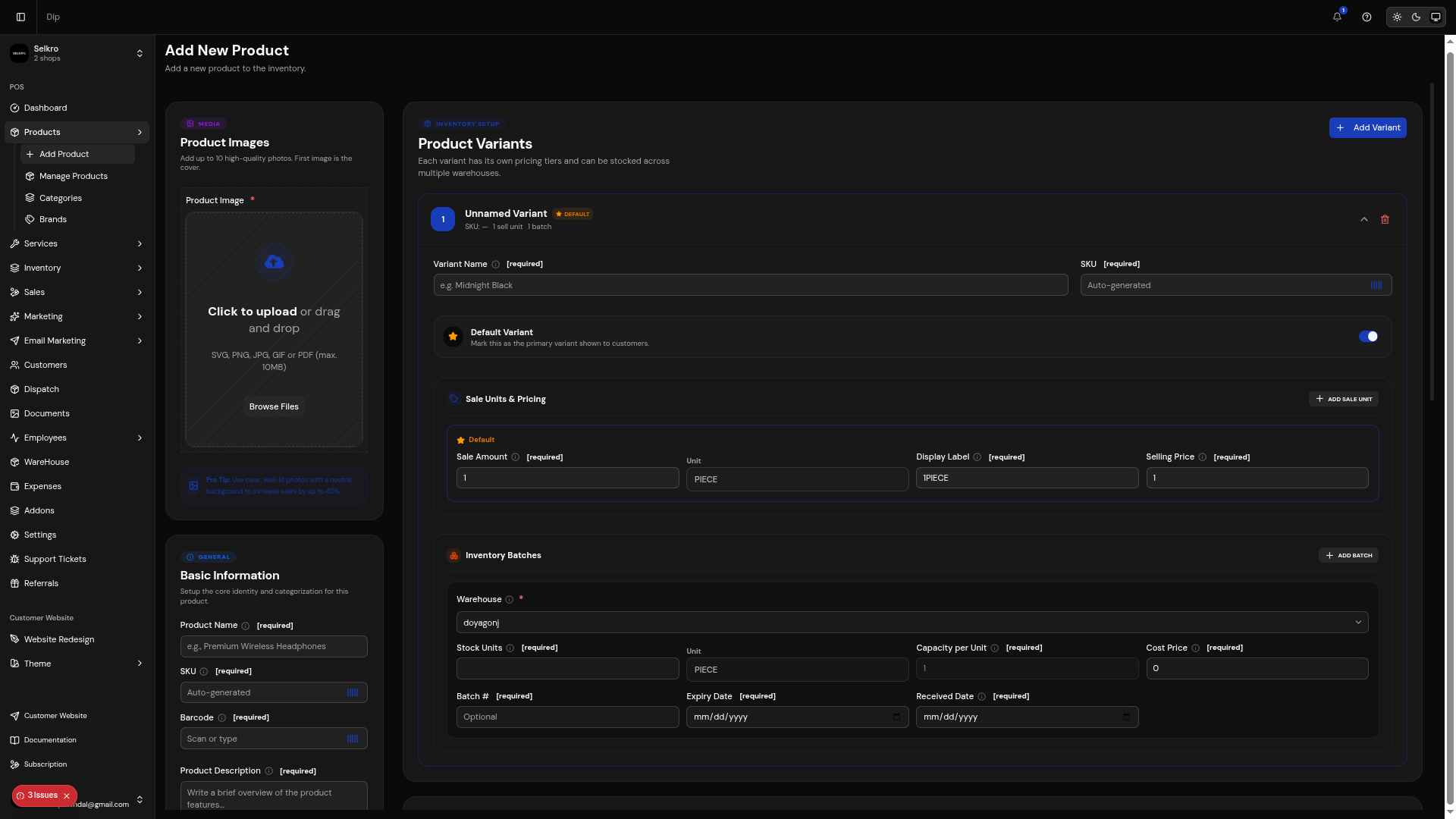
Complete product creation form with all required fields
Managing Products
- Search, filter and select products from the list with bulk delete
- Edit details inline or open the full edit form
- Toggle product visibility between POS, storefront, or both
- Add stock or adjust stock directly from the product list
- Print barcode labels and use the in-app barcode scanner
- Track every stock movement (IN, OUT, RESERVE, RETURN, DAMAGE, ADJUSTMENT) in the stock-movement log
- Bulk actions for multiple products
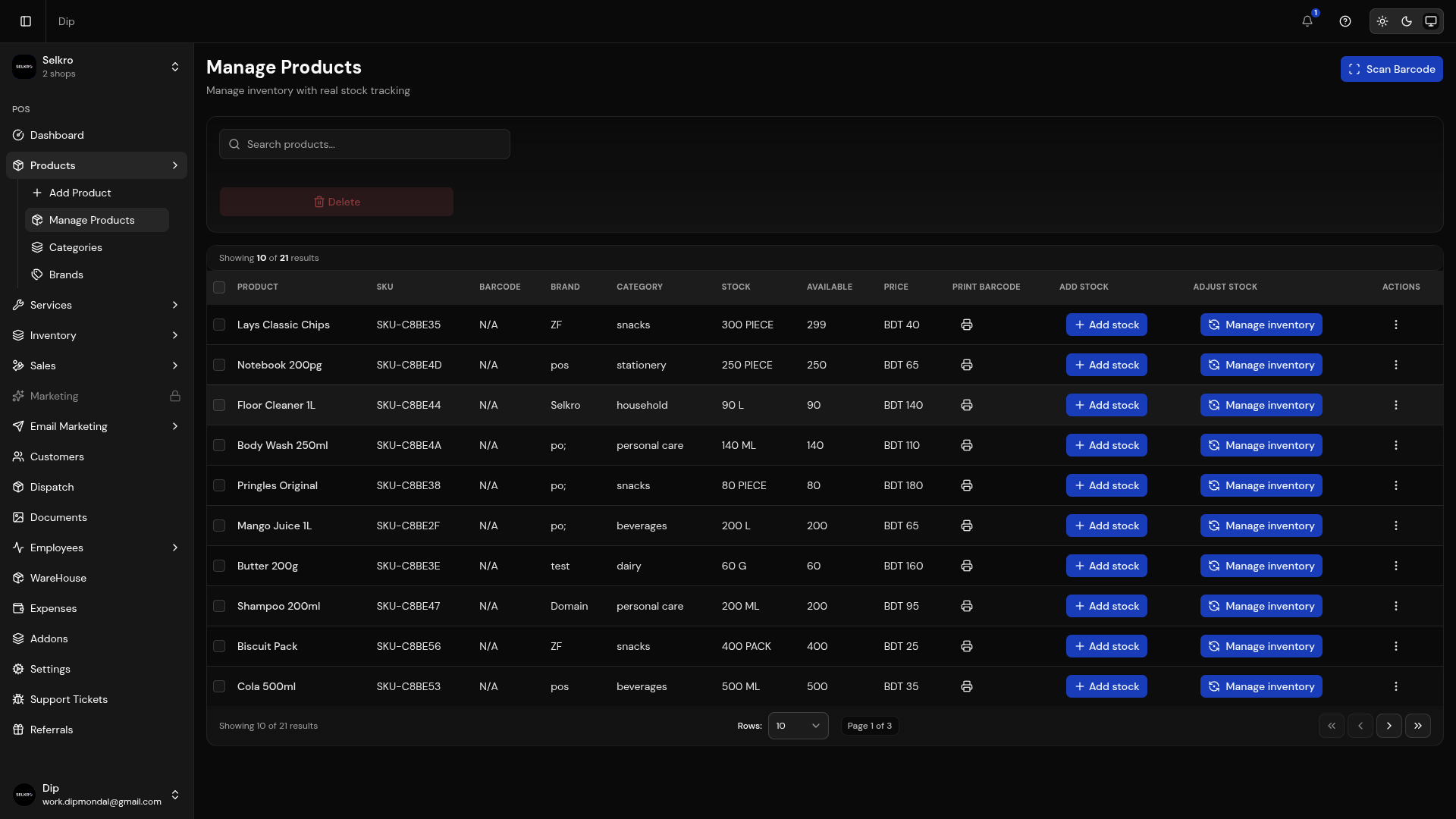
Product list with search, filter, and bulk actions
Categories
- Create and manage product categories with an optional category image
- Set the unit type per category (31 options including custom descriptions)
- Toggle fractional quantities and background removal for product images
- Products inherit the category's unit type
- Activate or deactivate categories anytime
Category management with unit type configuration
Brands
Brand management interface
Inventory Management
Inventory Channels
POS Stock
In-store inventory used when creating POS orders. Deducted automatically when a staff member completes a sale, and restocked on returns.
Online Stock
Storefront inventory. Reserved when customers place online orders and deducted when those orders are confirmed. Cancel a reserved order to release the stock.
Stock Movements
Every change is recorded with a type (IN, OUT, RESERVE, UNRESERVE, ADJUSTMENT, RETURN, DAMAGE), reason, quantity, profit impact, performed by and date in the stock-movement page.
Inventory Features
- Per-warehouse stock levels with a default warehouse
- Stock reservation and release for online orders
- Add-stock and adjust-stock actions with reason labels
- Stock movement audit trail with batch and expiry support
- Low-stock alert level per product
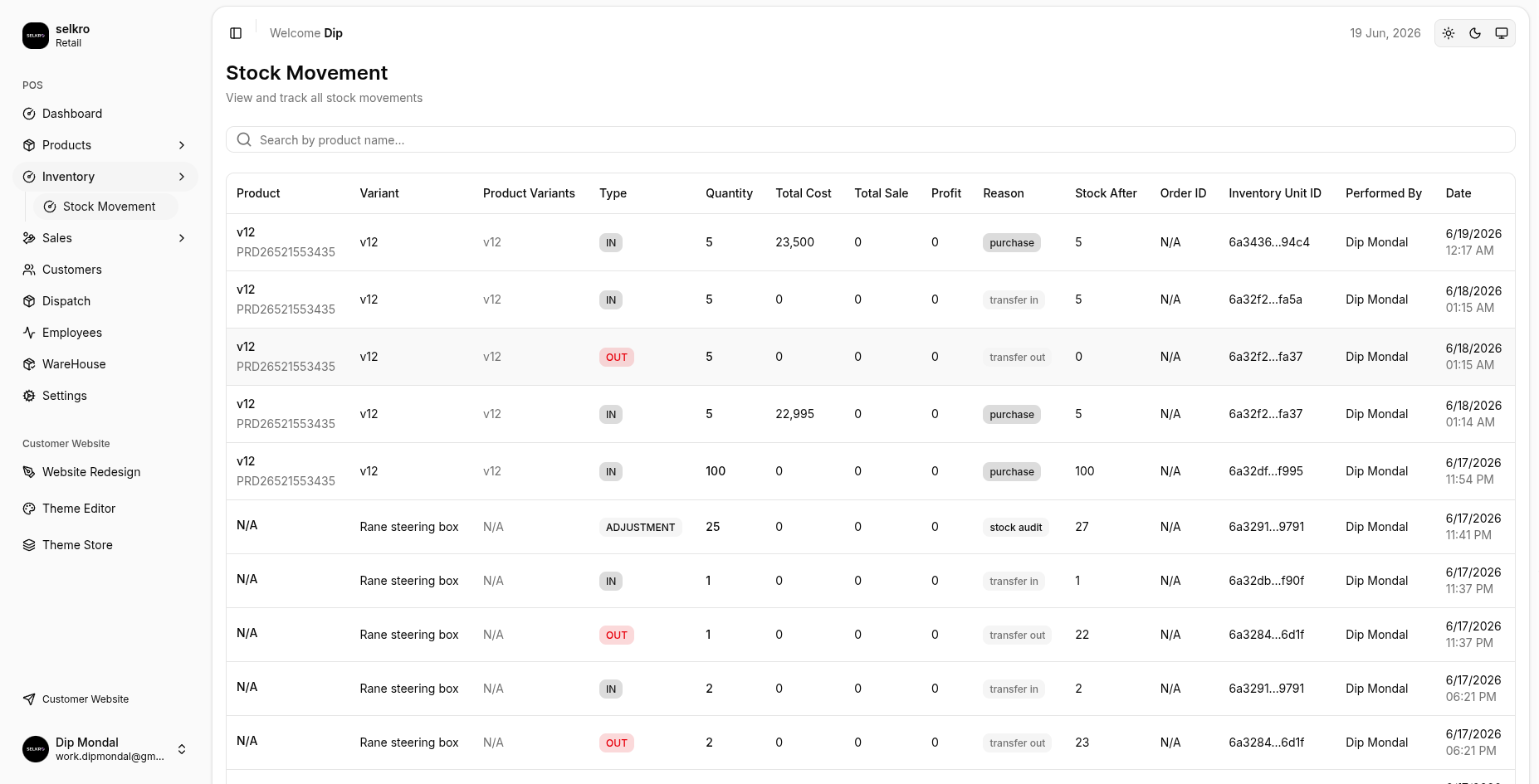
Dual-channel inventory tracking with stock levels
Barcode Support
Barcode generation and scanning for products