HomeHome Design
Home Design
Design your storefront homepage
Home Design Overview
Control exactly what your storefront home page shows. Home Design is organised into three tabs: Settings (which sections and content appear), Locations (your physical store addresses) and Legal (privacy policy and terms pages). For a full visual layout builder, use the drag-and-drop Theme Store instead.
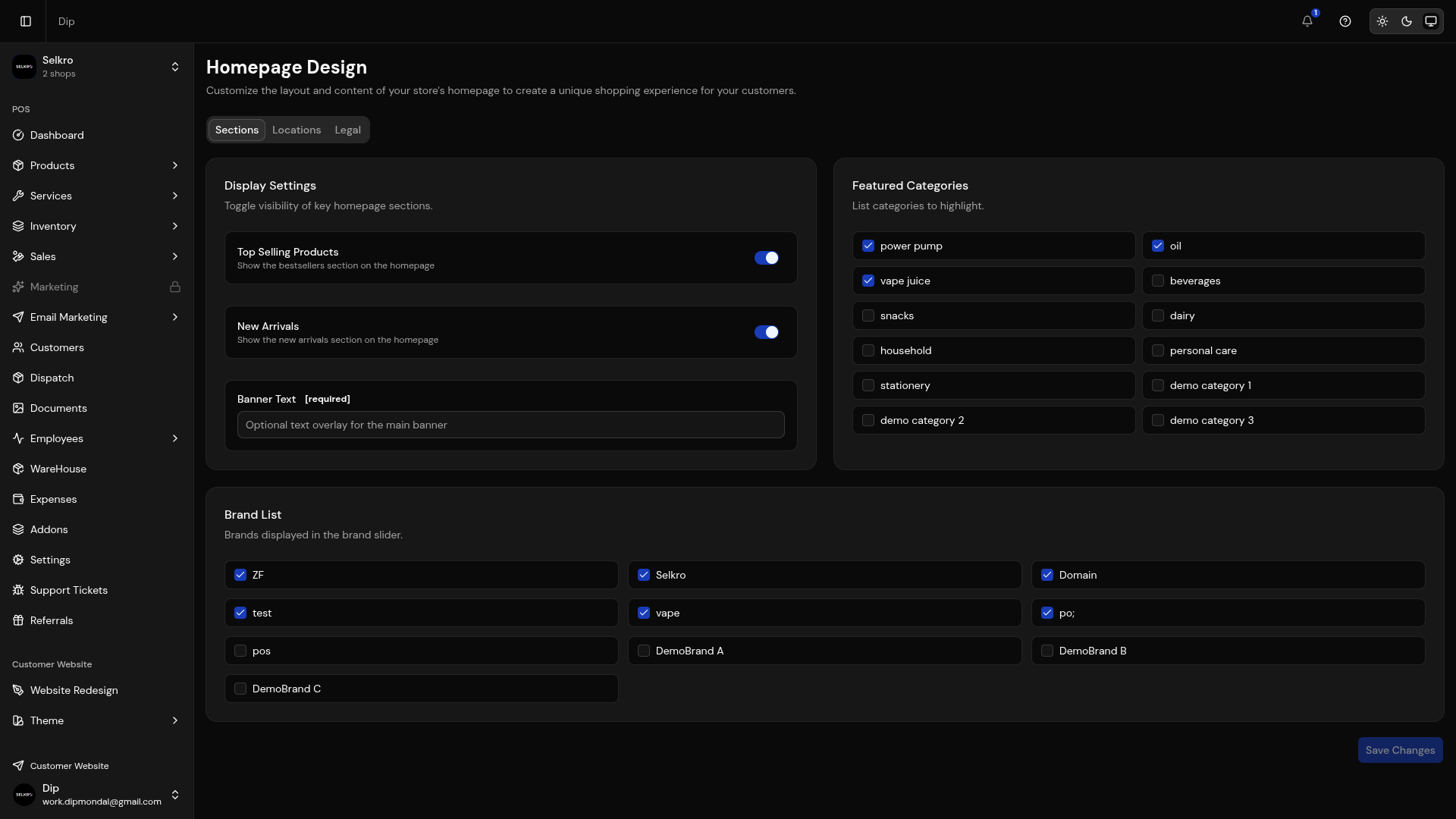
Homepage builder with drag-and-drop section management
What You Can Configure
1
Display Settings
Toggle Featured Categories, Top Brands, New Arrivals, Banners, Featured Products and Top Products sections on or off.
2
Featured Categories & Brands
Multi-select which categories and brands to feature on the home page.
3
Promo Section
Add a promotional image, text and link to highlight a campaign or announcement.
4
Product Collection Builder
Pick the collection type, title, product count and load-more options for your product area.
5
Store Locations
Manage your physical store addresses with phone, email and business days.
6
Legal Pages
Create and publish pages like Privacy Policy and Terms of Service.
All available sections for homepage customization
Design Tip
Start with the banner carousel to create a strong first impression. Then add featured categories and products to guide customers to your best items.